Function Declaration vs Function Expression: What’s the Difference?
1. Introduction
Hey Scroller! When you hear the word function in programming, what comes to mind first? Most likely, doing a specific task, right?
Let’s understand this with a real-life example.
Imagine you visit a carpenter’s workshop to get a chair made. In the workshop, several people are working: one person cuts the wood, another shapes the chair, and someone else finishes and polishes it. Each person is responsible for a specific task. After completing their task, the work moves to the next person.
Programming works in a similar way. Instead of people, we use functions to perform specific tasks in a program.
2. What functions are and why we need them?
In programming, a function is a block of code designed to perform a specific task. It allows us to execute the same set of instructions multiple times without rewriting the code again and again.
Understanding with the Carpenter Example:

Just like in a carpenter’s workshop: One worker cuts the wood, another worker shapes the chair, another worker finishes and polishes it, each worker performs a specific job.
Similarly in programming:
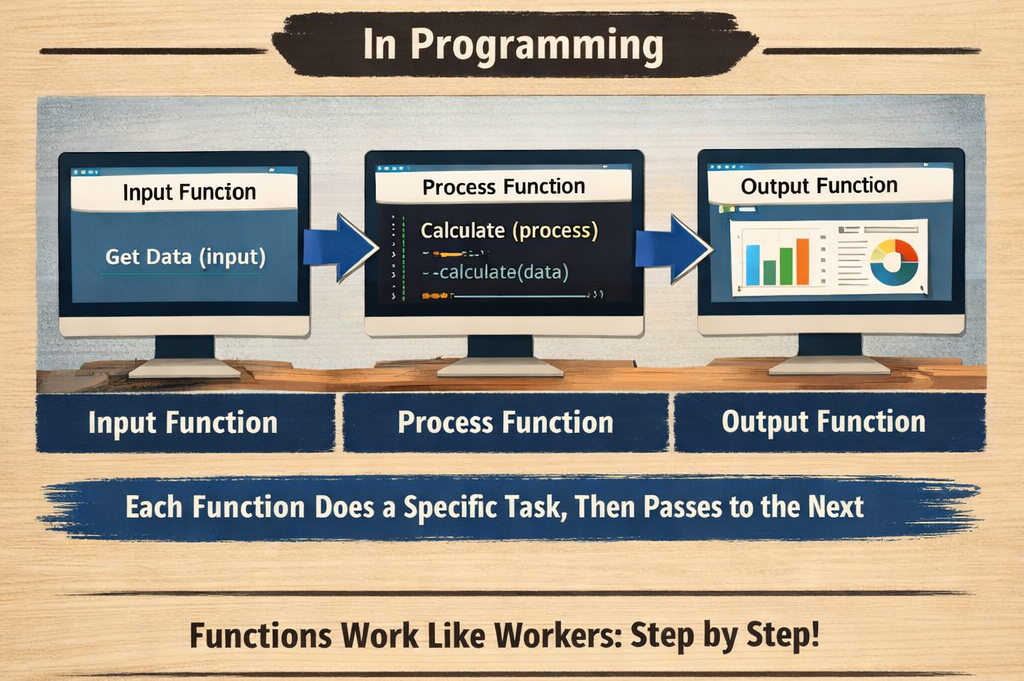
One function may take input
Another function may process the data
Another function may display the result
Each function performs a specific task and helps the program work in an organized way.
Functions help make programs:
Reusable – Write once and use many times
Organized – Break large programing problems into smaller parts
Easier to maintain – Changes can be made in one place instead of many
Debugging – Makes it easier to debug the large codebases
3. Function declaration syntax
How can we write a function to perform a task in JavaScript? Let's understand the syntax carefully.
Syntax:
function funtionName (parameter1, parameter2, ...) {
     //code
    return value //return the value is optional
}
Calling the function:
functionName(arguments) //arguments are optional
Parts of Syntax in JavaScript
function – Keyword to declare the function
functionName – Name of function using variable
parameters – Input passed to a function, and it is optional
{} – Block containing lines of code that run when function is called
return – It return the value from the function (Optional)
function-call – To execute the function, we can call it using its name followed by parentheses ().
Example 1:
Create a function with parameters that adds two numbers and returns the result.
function addTwoNum(num1,num2) { //function declaration
    return num1 + num2 //return the value
}

const result = addTwoNum(20,5) //function call and passing arguments.

console.log(result) //25 print the value
In the above example,
The function is declared with the name addTwoNum.
The function takes two values as parameters: num1 and num2.
function adds two numbers and returns the result
In line 5, the function is called using the name
addTwoNum().The variable "result" stores the value returned by the function.
25is printed as the result.
Example 2:
Create a function without parameters that greet the user.
function greetUser() {
    console.log("Hello, welcome!")
}

greetUser() //function call
In the above example:
greetUseris the function name.The parentheses
()are empty, which means the function does not accept any parameters.Inside the function,
console.log()prints a message.
When the function is called using greetUser(), the code inside the function runs and prints the message:
Hello, welcome!
Since the function does not require any input values, it simply executes the greeting message whenever it is called.
4. Function expression syntax
A function expression is another way to define a function in JavaScript. In this case, the function is stored inside a variable.
Syntax:
const functionName = function(parameters) {
    // code
    return value; // optional
}
Example:
const multiply = function(a, b) {
    return a * b;
};

const result = multiply(4, 5);

console.log(result); // 20
In the above example:
A variable multiply stores the function.
The function takes two values as parameters: num1 and num2.
function multiply two numbers and returns the result
The function is executed using multiply().
The variable "result" stores the value returned by the function.
20is printed as the result.
5. Key differences between declaration and expression
In the table below, some terms like Hoisting and Execution might not be well understood. Don't worry, we will explain them later.
| Feature | Function Declaration | Function Expression |
|---|---|---|
| Definition | A function defined using the function keyword with a name. |
A function stored inside a variable. |
| Syntax | function add(a, b) {} |
const add = function(a, b) {} |
| Hoisting | Fully hoisted. Can be called before it is defined. | Not hoisted the same way. Cannot be called before definition. |
| Function Name | Must have a function name. | Can be anonymous (no function name). |
| Usage Style | Commonly used for defining reusable functions in programs. | Used for callbacks, closures, or assigning functions to variables. |
| Execution | Available throughout the entire scope where it is declared. | Available only after the line where it is defined. |
Example: Function Declaration
sayHello();

function sayHello() {
    console.log("Hello!");
}
This works because function declarations are hoisted.
Example: Function Expression
sayHello();

const sayHello = function() {
    console.log("Hello!");
};
This causes an error because the variable is not initialized when called. so, it will not work❌
Simple Way to Remember
Function Declaration → Defined as a standalone function
Function Expression → Function stored inside a variable
6. Basic idea of hoisting (very high level)
Hoisting is a behavior in JavaScript where variable and function declarations are processed before the code is executed.
This means JavaScript knows about variables and functions before the program starts running, even if they appear later in the code.
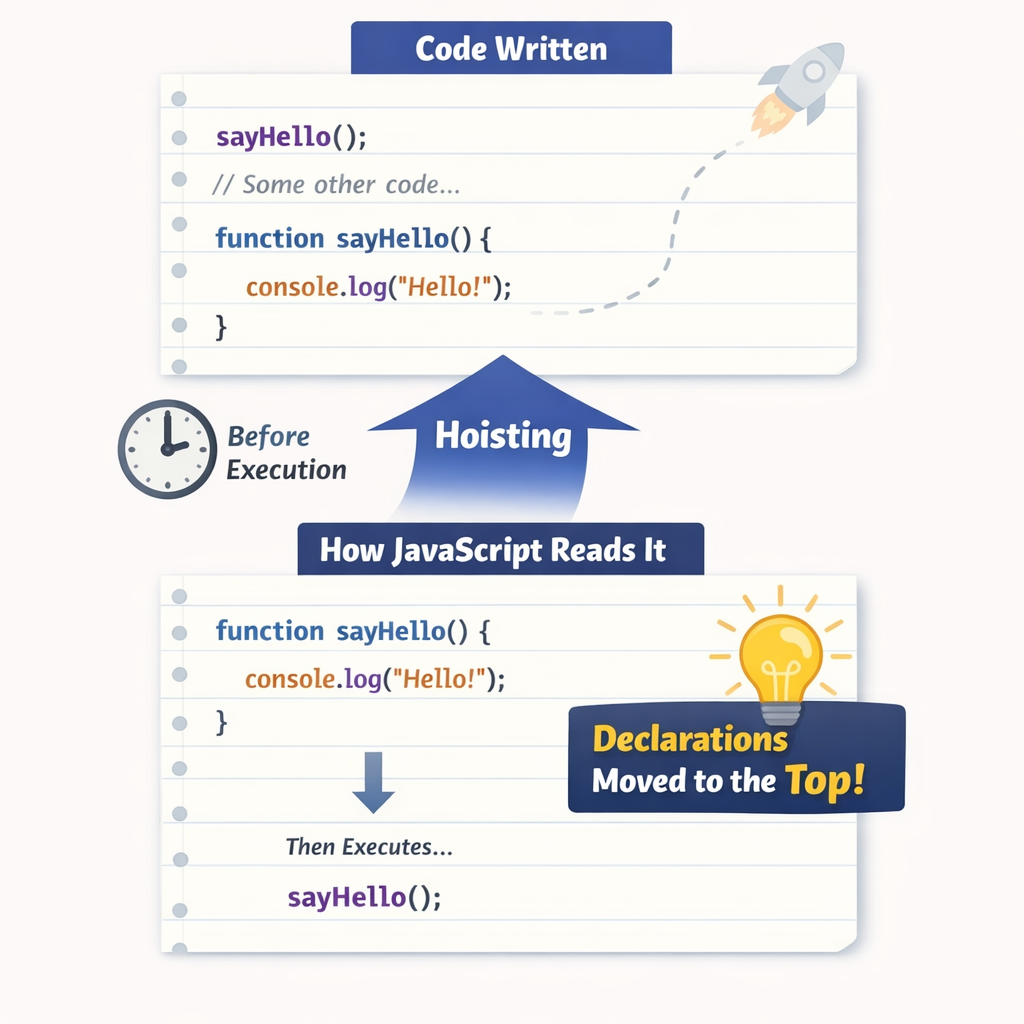
In simple terms, JavaScript first scans the code and registers declarations, and then it executes the code line by line.
Because of this behavior, it may seem like declarations are moved to the top of their scope. Let's see what happening during function.
Hoisting in function declaration
when you declare a function and you call the function before the function declaration the output will print because it is already Hoisted so JavaScript known about the function.
Let's see the example:
sayHello() //function call

function sayHello() { //function declaration
    console.log("Hello Scroller")
}
Output:
"Hello Scroller"
In the code Function declarations are completely available during execution so when you call output will come.
Hoisting in Function Expression
It is the function stored into the variable; it's not hoisted in the same way. Only the variable declaration is hoisted but the assignment stays in place.
// Throws TypeError: greet is not a function
greet();

var greet = function() {
    console.log("Hello!");
};
The function greet is declared and assigned undefined. When you called it, you're trying to call undefined()
Note: Variables declared with
letandconstare hoisted, but you cannot access them before their declaration due to the temporal dead zone (TDZ). If you trying to do it, you got reference errors.
7. When to use each type?
Choosing between function declarations and expressions depends on use cases, whether you need hoisting, how the function is used, and the desired scope and code style.
8. Use Function Declaration
A function declaration is a standalone statement used to define a function. It is useful when you want the function to be accessible from anywhere within its scope.
Function declarations are hoisted, which means they can be called before their declaration appears in the code.
The function keyword at the beginning makes the function easy to identify, which helps improve code structure for top-level functions.
Another useful feature is that the function name is available inside its own scope, which makes it helpful for recursive functions.
Example
// This works because "add" is hoisted
console.log(add(7, 8));

function add(a, b) {
    return a + b;
}
Explanation
The function
addis declared using a function declaration.Because function declarations are hoisted, the function can be called before it is defined.
The function takes two parameters:
aandb.It returns the sum of the two numbers.
9. Use Function Expression When
A function expression is useful when you want to store a function inside a variable or pass it as a value in your program.
You should use a function expression in the following situations:
A. When the Function Should Run Only After It Is Defined
Function expressions are not hoisted like function declarations, so they can only be used after the line where they are defined.
const add = function(a, b) {
    return a + b;
};

console.log(add(5, 3)); // 8
B. When Passing Functions as Arguments (Callbacks)
Function expressions are commonly used when a function needs to be passed to another function.
setTimeout(function() {
    console.log("Hello after 2 seconds");
}, 2000);
Here the function is passed as an argument to setTimeout().
C. When Assigning Functions to Variables
Sometimes we want to treat functions like values and store them inside variables.
const greet = function(name) {
    return "Hello " + name;
};

console.log(greet("John"));
D. When Creating Anonymous Functions
Function expressions can be anonymous, meaning they do not need a function name.
const multiply = function(a, b) {
    return a * b;
};
10. Conclusion
Functions are an important part of JavaScript. A function is a block of code that performs a specific task.
Functions help us avoid writing the same code many times. We can write the code once and use it again whenever needed.
There are two common ways to create functions in JavaScript:
Function Declaration
Function Expression
Function declarations are hoisted, so they can be called before they are written in the code.
Function expressions are stored in variables and can only be used after they are defined.
Using functions makes programs cleaner, easier to understand, and easier to manage.